- OS Requirements
- Windows 10-11 (25h2)
- Hardware Requirements
- DMA Card, Fuser (Esp on main screen), Makcu/kmbox and WORKING Pubg Firmware
- Type of Software
- DMA
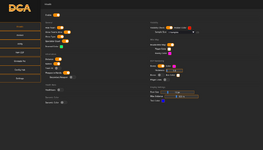
Visuals
Master Toggle: Enable/Disable all visuals.
Player Information
Show Names
Show Distance
Show Team ID
Show Weapon in Hand
Show Secondary Weapon
Show Type (likely Player/Bot)
Show Teams Alive counter
Spectator Count
Player Status:
Health Bars
Dynamic Color (health-based)
Downed Color (for knocked players)
Rendering Options:
Bones (with color picker and thickness slider)
Box (with color picker)
Player Lines (from player to bottom of screen)
Visibility Check (Hidden Color, Sample Size)
Mini Map:
Enable Mini Map
Player Color
Enemy Color
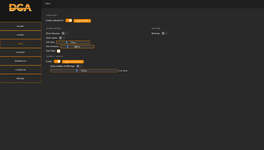
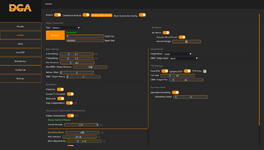
Aimbot
Master Control: Connect on Start-up.
Recoil Control:
No Recoil toggle
Dynamic Recoil Script toggle
Recoil Strength slider
Basic Settings:
X/Y Smoothing
Max Distance (General)
Max DMR / Sniper Distance
Reticle Offset (for DMR/Snipers)
Aim Modes & Logic:
Prediction
Closest to Crosshair
Sticky Aim
Drop Compensation (for bullet drop)
Humanization:
Enable Humanization
Overall Strength
Smoothing Blend
Path Variation
Micro-Adjustments
Target Selection:
Target Bone selection (e.g., Chest)
DMR / Sniper Bone selection (e.g., Neck)
Field of View (FOV):
Draw FOV (Dynamic FOV)
FOV Size slider (General)
DMR / Sniper FOV slider
Spectator Mode:
Spectator Smoothing Factor
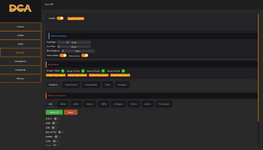
Item ESP
Master Toggle: Enable/Disable (Toggle keybind: V).
General Settings:
Font Size
Icon Size
Max Distance
Smart Items (likely filters)
Show Icons
Filtering:
Weapon Categories: ARs, SMGs, LMGs, Snipers, DMRs, Shotguns, Pistols.
Items: Ammo, Throwables.
Specific Weapons: Individual toggles for weapons like ACE32, AKM, AUG, etc. (Select All / None buttons).
Visuals:
Icon Colors (for 4 different configurable groups).
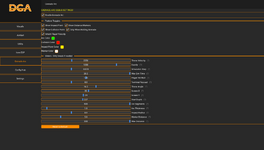
Grenade Arc
Master Toggle: Enable Grenade Arc.
Features:
Show Impact Point
Show Distance Markers
Show Collision Point
Only When Holding Grenade
Inherit Player Velocity
Color Customization:
Arc Color
Collision Color
Impact Point Color
Marker Color
Advanced Sliders (for fine-tuning trajectory prediction):
Throw Velocity
Gravity
Simulation Step
Max Sim Time
Player Velocity Multiplier
Terminal Raycast
Throw Angle
Screen X/Y (position of arc on screen)
Start Depth
Arc Segments
Arc Thickness
Impact Radius
Marker Distance
Reset to Default button
Utility
Vehicle ESP:
Enable Vehicle ESP
Show Distance
Show Name
Font Size
Max Distance
Text Color
Deadbox / Airdrop ESP:
Enable (Toggle On/Off)
Show Airdrop on Minimap
Icon Size
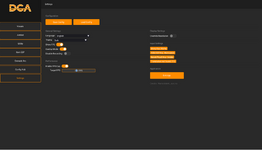
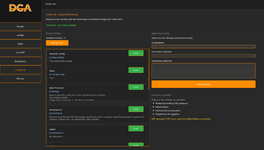
Config Hub
Cloud Config Sharing: Browse and download configs from other users.
Config List: Displays available configs (e.g., "13 configs available") with usernames, descriptions, and details (e.g., "Max Distance 300m", "Trigger Bot // Prediction // No Recoil – Activated").
Upload Functionality:
Upload Your Config option.
Fields for Config Name, Your Name (optional), Description (optional).
Master Toggle: Enable/Disable all visuals.
Player Information
Show Names
Show Distance
Show Team ID
Show Weapon in Hand
Show Secondary Weapon
Show Type (likely Player/Bot)
Show Teams Alive counter
Spectator Count
Player Status:
Health Bars
Dynamic Color (health-based)
Downed Color (for knocked players)
Rendering Options:
Bones (with color picker and thickness slider)
Box (with color picker)
Player Lines (from player to bottom of screen)
Visibility Check (Hidden Color, Sample Size)
Mini Map:
Enable Mini Map
Player Color
Enemy Color
Aimbot
Master Control: Connect on Start-up.
Recoil Control:
No Recoil toggle
Dynamic Recoil Script toggle
Recoil Strength slider
Basic Settings:
X/Y Smoothing
Max Distance (General)
Max DMR / Sniper Distance
Reticle Offset (for DMR/Snipers)
Aim Modes & Logic:
Prediction
Closest to Crosshair
Sticky Aim
Drop Compensation (for bullet drop)
Humanization:
Enable Humanization
Overall Strength
Smoothing Blend
Path Variation
Micro-Adjustments
Target Selection:
Target Bone selection (e.g., Chest)
DMR / Sniper Bone selection (e.g., Neck)
Field of View (FOV):
Draw FOV (Dynamic FOV)
FOV Size slider (General)
DMR / Sniper FOV slider
Spectator Mode:
Spectator Smoothing Factor
Item ESP
Master Toggle: Enable/Disable (Toggle keybind: V).
General Settings:
Font Size
Icon Size
Max Distance
Smart Items (likely filters)
Show Icons
Filtering:
Weapon Categories: ARs, SMGs, LMGs, Snipers, DMRs, Shotguns, Pistols.
Items: Ammo, Throwables.
Specific Weapons: Individual toggles for weapons like ACE32, AKM, AUG, etc. (Select All / None buttons).
Visuals:
Icon Colors (for 4 different configurable groups).
Grenade Arc
Master Toggle: Enable Grenade Arc.
Features:
Show Impact Point
Show Distance Markers
Show Collision Point
Only When Holding Grenade
Inherit Player Velocity
Color Customization:
Arc Color
Collision Color
Impact Point Color
Marker Color
Advanced Sliders (for fine-tuning trajectory prediction):
Throw Velocity
Gravity
Simulation Step
Max Sim Time
Player Velocity Multiplier
Terminal Raycast
Throw Angle
Screen X/Y (position of arc on screen)
Start Depth
Arc Segments
Arc Thickness
Impact Radius
Marker Distance
Reset to Default button
Utility
Vehicle ESP:
Enable Vehicle ESP
Show Distance
Show Name
Font Size
Max Distance
Text Color
Deadbox / Airdrop ESP:
Enable (Toggle On/Off)
Show Airdrop on Minimap
Icon Size
Config Hub
Cloud Config Sharing: Browse and download configs from other users.
Config List: Displays available configs (e.g., "13 configs available") with usernames, descriptions, and details (e.g., "Max Distance 300m", "Trigger Bot // Prediction // No Recoil – Activated").
Upload Functionality:
Upload Your Config option.
Fields for Config Name, Your Name (optional), Description (optional).
Prices
| 1 Day | 5.99$ |
| 1 Week | 10.99 |
| 1 Month | 21.99$ |
— 03/03/2026
- Engine Cycle Timing - Adds the users ability to control how fast the engine does a full cycle (default is 10000) I like using 1000 personally- DCA User removed due to privacy
- Fixed drawing of self + team when driving vehicle
- (If not fixed) Looking into fixes for the micro flicker