Welcome to hackvshack.net Forum!
Download Free HvH CS2/CS:GO Cheats, CFG, LUA/JS Scripts, and More!
Register

Safe bankroll.su free | Legit & Movement Cheat

Status
Thread closed. Topic resolved/outdated. For updates, start new thread. Files removed to save server space.
Just answer rq this:

1. Did you inject steam dll into steam.exe
2. Did you try LoadLibary Injection & Manual map ?
3. Does it crash or just say this
i have the same issue, i tried a loadlibrary and manual map, injected steam dll, game just closes after this message in cs2 console1776018978326.png
 
i have the same issue, i tried a loadlibrary and manual map, injected steam dll, game just closes after this message in cs2 console1776018978326.png
Is this like some server plugin or some type of anticheat? if its like cs2 itself ( not sure) maybe just try -allow_third_party_software in steam launch options for cs2
 
1776037876622.png
tried manual map tried standard map, injected steam dll into administrators steam.exe, frozen :(
you don't have to run steam as admin.

1. restart your pc
2. inject steam.dll into steam.exe (not elevated)
3. enable autoinject, select bankroll.dll, set cs2.exe as the process
4. launch cs2 (without any args)
5. wait until it shits out a ton of "ept violation", then wait a minute or two
6. should inject normally
 
free made by morda.tech, the free is on their telegram, in the past they free plaguecheat

How to Inject:
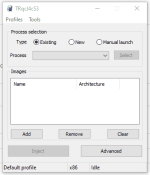
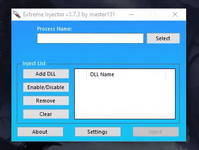
[1]. Inject steam.dll into steam
[2]. Run CS2
[3]. Inject bankyaroll.dll into CS2
[4]. Wait 1-2 min

Make sure to use Manual map as Injection method ( or Normal if it crashes )


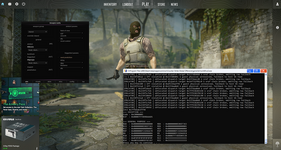
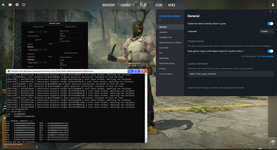
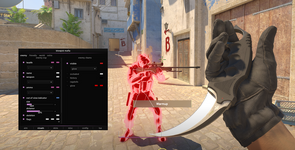
Screenshot of Menu/ESP:
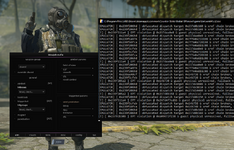
( THE SPAM IN THE CONSOLE IS NORMAL ! )
1776016565830.png

1775936505941.png

Config/Scripts Location:
C:\bankroll.su

DW:

Credits:
@mordatech tg
( We do not vouch for any safety of any other files you see there )
cant even use it because i get error code 0xc0000001 error code when injected steam.dll with manual map and launching cs2 then the error pops up
 
Last edited:

User is currently banned.

littearly just use -allow_third_party_software and it will work
I'm literally using -allow_third_party_software and it still crashes with 0xC0000001. The problem isn't the launch options, it's this broken DLL.
 
Status
Thread closed. Topic resolved/outdated. For updates, start new thread. Files removed to save server space.

Who has read this thread (Total: 1) in last 1 hours View details