so uh you gotta go to appdata local and then you paste a file named skeet from like the file that you firstly extracted and that will give you like 30 luas including some cfgs+ custom model lua
1. go to your skeet folder (the folder with the docs and all this not where u paste cfg)
2. copy or cut it (ctrl+c or ctrl+x)
3. go to '\Steam\steamapps\common\Counter-Strike Global Offensive\game\csgo\characters\models'
4. paste the folder there. (if theres no characters folder, so u gotta paste the characters folder to '\Counter-Strike Global Offensive\game\csgo\')
5. load the script 'custom_model.lua'
ill let the 'characters' folder + the 'custom_model.lua' file so if somebody needs
how to add scripts/cfg?
> paste all them to %LOCALAPPDATA%\skeet
so uh you gotta go to appdata local and then you paste a file named skeet from like the file that you firstly extracted and that will give you like 30 luas including some cfgs+ custom model lua
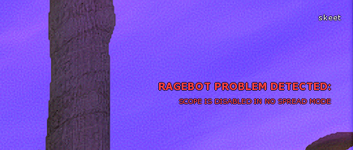
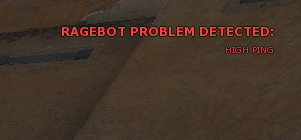
for skeet the ideal ping is 5-20, so when u high ping (20ms+) it be missing more. for u to get more accuracy as a high ping player, u will have to play only crounched. like changing hitbox scales, hc, mdg, extrapolation will help u alot, but hvh in cs2 is ping based
This site uses cookies to help personalise content, tailor your experience and to keep you logged in if you register.
By continuing to use this site, you are consenting to our use of cookies.