What's new

Welcome to HvH Forum!

SignUp Now! Download Free HvH CS2/CS:GO Cheats, CFG, LUA/JS Scripts, And More!


SignUp Now!

Tutorial How to play Legacy CS:GO after Steam Update (21.12.2025)

Community Contributor
User ID
70453
Messages
20
Reactions
28
Level
7
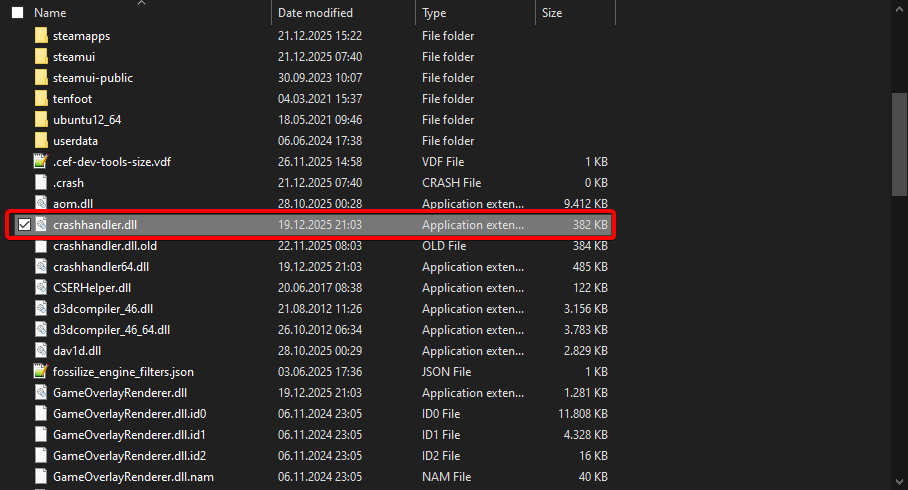
1. Go to your Steam folder - Default Location: C:\Program Files (x86)\Steam\
2. Rename or delete crashhandler.dll

yrsJ9d.png
 

Create an account or login to comment

You must be a member in order to leave a comment

Create account

Create an account on our community. It's easy!

Log in

Already have an account? Log in here.

Top