Welcome to hackvshack.net Forum!
Download Free HvH CS2/CS:GO Cheats, CFG, LUA/JS Scripts, and More!
Register

Tutorial Proper Legacy Launch Fix (Popup Blocking menu, unable to join servers)

bozoslayer47

Rookie HvHer
User ID:
29583
Messages:
8
Reactions:
11
Badges:
7
REP:
−0/0+
Level:
61
Proper fix, for the game closing when launching 2018.

First, go to your "2018 March" install folder -> and go into the "csgo" folder.
Find your steam.inf config file, and open it.
It should say something like "ClientVersion=650" and you need to change that to "ClientVersion=2000258"
When you open your game, it won't close or say that error anymore.

This also works, to launch "2023 Legacy" with skins, without opening CS2.
You just need to change your clientversion inside of the main csgo install directory.
 
Last edited:
「Unable to load manifest file 'scripts/game_sounds_manifest.txt'」
I already reinstalled the game and tried all methods on this forum to fix it.
The game instantly closes on startup and I saw the error when i used the exe to launch
 
「Unable to load manifest file 'scripts/game_sounds_manifest.txt'」
I already reinstalled the game and tried all methods on this forum to fix it.
The game instantly closes on startup and I saw the error when i used the exe to launch
your antivirus might be the cause, try reinstalling and turning off your av before hand.

as for the game instantly closing on startup, there is a fix for that inside of the 2018 sub.
thanks
 
Anti-Virus didn't change anything since i don't even have one and the windows one cant access that folder.
By any chance can you like me that 2018 sub?
 
Steamversion won't cause crash, so its related to something else.
cause..
FIX: use legacy steam version
guide:
create 2 shortcut first to download legcy version, second to run it.
1: add to shortcut this and tun ones to dw legacy steam: -forcesteamupdate -forcepackagedownload -overridepackageurl -exitsteam
2: add to shortcut this and use it to run: -vgui -noverifyfiles -nobootstrapupdate
 
Proper fix, for the game closing when launching 2018.

First, go to your "2018 March" install folder -> and go into the "csgo" folder.
Find your steam.inf config file, and open it.
It should say something like "ClientVersion=650" and you need to change that to "ClientVersion=2000258"
When you open your game, it won't close or say that error anymore.

This also works, to launch "2023 Legacy" with skins, without opening CS2.
You just need to change your clientversion inside of the main csgo install directory.
wont open anymore
 
Proper fix, for the game closing when launching 2018.

First, go to your "2018 March" install folder -> and go into the "csgo" folder.
Find your steam.inf config file, and open it.
It should say something like "ClientVersion=650" and you need to change that to "ClientVersion=2000258"
When you open your game, it won't close or say that error anymore.

This also works, to launch "2023 Legacy" with skins, without opening CS2.
You just need to change your clientversion inside of the main csgo install directory.
THANKS BRO
 
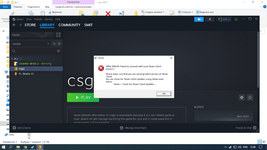
I launch csgo and it launches a completely different cs and gives the following error (Steam is running)
 

Password for .zip file is hvh.net

  • Снимок экрана (5).png
    Снимок экрана (5).png
    42.2 KB · Views: 41

Who has read this thread (Total: 0) in last 1 hours View details