
Tutorial:
1. Download latest wand & Patcher WandEnhancer
3. Close wand completely ( check task manager if any stuff is open from it )
4. Watch this tutorial on how to Compile WandEnhancer
You can inject your own JavaScript into Wand at patch time to tweak or fix things in the client UI. This reuses the same renderer injection the Remote Web Panel uses, so it requires the Remote Web Panel patch to be enabled.
How to add a script
How it runs
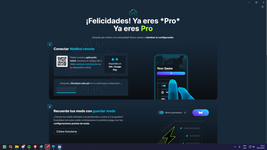
Screenshots:

Credits:
1. Download latest wand & Patcher WandEnhancer
You must be registered for see links
You must be registered for see links
2. Start the wemod installer and just install + Create account or login3. Close wand completely ( check task manager if any stuff is open from it )
4. Watch this tutorial on how to Compile WandEnhancer
This repository does not publish official compiled binaries. Build your own executable from your own fork using GitHub Actions.
- Sign in to GitHub and fork this repository.
- Use Sync fork before each build so your fork contains the latest fixes.
- Open your fork, go to the Actions tab, and enable workflows if GitHub asks you to.
- Select the Build executable workflow.
- Click Run workflow, keep the default branch, and start the run.
- Wait for the workflow to finish, open the completed run, and download the artifact.
- Extract the artifact zip and run WandEnhancer.exe to apply local client modifications.
You must be registered for see links
 What features are improved?
 Local environment configuration management
 Custom scripts
You can inject your own JavaScript into Wand at patch time to tweak or fix things in the client UI. This reuses the same renderer injection the Remote Web Panel uses, so it requires the Remote Web Panel patch to be enabled.How to add a script
- In the patch dialog, add one or more .js files (only existing .js files are accepted), or
- Drop .js files into a renderer-scripts/ folder placed next to the patcher executable.
How it runs
- Each script runs inside Wand's renderer (full DOM access, plus Node require).
- It is wrapped so a thrown error is logged and never crashes Wand.
- It may run more than once per launch (on load and again shortly after), so guard one‑time work behind a global flag.
- A small WandEnhancer helper is available: WandEnhancer.log(...), WandEnhancer.remoteUrl, WandEnhancer.apiVersion.
// Injected scripts can run multiple times — guard one-time setup.if (!globalThis.__helloScriptInstalled) { globalThis.__helloScriptInstalled = true; WandEnhancer.log("Hello from my custom script!", WandEnhancer.remoteUrl); new MutationObserver(() => { const dialog = document.querySelector("ux-dialog:not([data-seen])"); if (dialog) { dialog.setAttribute("data-seen", "1"); WandEnhancer.log("A dialog opened."); } }).observe(document.documentElement, { childList: true, subtree: true });}Screenshots:
Credits:
You must be registered for see links
You must be registered for see links
You must be registered for see links
Content status reports:
-0/0+
Last edited by a moderator:


