Welcome to hackvshack.net Forum!
Download Free HvH CS2/CS:GO Cheats, CFG, LUA/JS Scripts, and More!
Register

Unknown⠀ 1.05.26 Neverfair free

Status
Thread closed. Topic resolved/outdated. For updates, start new thread. Files removed to save server space.
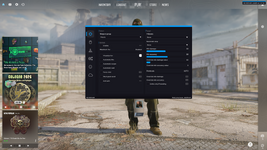
1783520945053.png


guys guys i found it i told the ai to edit this python shit and he did

he givme this

local_server.py

from flask import Flask, Response
import threading
import os

app = Flask(__name__)

# Dynamically resolve the directory where this script is located
BASE_DIR = os.path.dirname(os.path.abspath(__file__))

request_counters = {
'system_info': 0
}

counter_lock = threading.Lock()

def get_next_id(endpoint):
with counter_lock:
request_counters[endpoint] += 1
return request_counters[endpoint]

def get_file_content(path):
try:
with open(path, 'rb') as f:
return f.read()
except FileNotFoundError:
return f"File not found: {path}".encode()

@app.route('/login', methods=['GET', 'POST'])
def login():
# Direct path to the requests folder next to the script
path = os.path.join(BASE_DIR, 'requests', 'login', 'response_content.json')
content = get_file_content(path)
return Response(content, status=200, mimetype='application/json', headers={'Connection': 'close'})

@app.route('/info', methods=['GET', 'POST'])
def info():
path = os.path.join(BASE_DIR, 'requests', 'info', 'response_content.bin')
content = get_file_content(path)
return Response(content, status=200, mimetype='application/octet-stream', headers={'Connection': 'close'})

@app.route('/system/info', methods=['GET', 'POST'])
def system_info():
req_id = get_next_id('system_info')
path = os.path.join(BASE_DIR, 'requests', 'system_info', f'response_content_{req_id}.bin')
content = get_file_content(path)
return Response(content, status=200, mimetype='application/octet-stream', headers={'Connection': 'close'})

if __name__ == '__main__':
app.run(host='127.0.0.1', port=1488)


and he givme this

The Problem:
The script failed with an IndentationError due to misaligned spaces/tabs in the code structure. Additionally, the file paths were hardcoded to a specific directory (C:/neverfair_crack/...), causing it to break on other computers where the folder structure or drive letter (like D:\) was different.
The Fix:
  1. Fixed the Python code indentation.
  2. Changed the paths to be dynamic (os.path.join(BASE_DIR, ...)), so the script automatically detects the requests folder regardless of where it is saved or who runs it.


How to Run the Local Server:

1. Requirements:
- Make sure you have Python installed on your system.
- Install Flask by running this command in your terminal/cmd:
pip install flask

2. Folder Structure:
- Ensure that the "requests" folder is placed directly in the same directory as the "local_server.py" file.
- Example:
├── local_server.py
└── requests/
├── login/
├── info/
└── system_info/

3. Running the Server:
- Double-click on "run_server.bat" (if provided), or open your command prompt, navigate to the folder, and run:
python local_server.py
- The server will start locally at
 
1783520945053.png


guys guys i found it i told the ai to edit this python shit and he did

he givme this

local_server.py

from flask import Flask, Response
import threading
import os

app = Flask(__name__)

# Dynamically resolve the directory where this script is located
BASE_DIR = os.path.dirname(os.path.abspath(__file__))

request_counters = {
'system_info': 0
}

counter_lock = threading.Lock()

def get_next_id(endpoint):
with counter_lock:
request_counters[endpoint] += 1
return request_counters[endpoint]

def get_file_content(path):
try:
with open(path, 'rb') as f:
return f.read()
except FileNotFoundError:
return f"File not found: {path}".encode()

@app.route('/login', methods=['GET', 'POST'])
def login():
# Direct path to the requests folder next to the script
path = os.path.join(BASE_DIR, 'requests', 'login', 'response_content.json')
content = get_file_content(path)
return Response(content, status=200, mimetype='application/json', headers={'Connection': 'close'})

@app.route('/info', methods=['GET', 'POST'])
def info():
path = os.path.join(BASE_DIR, 'requests', 'info', 'response_content.bin')
content = get_file_content(path)
return Response(content, status=200, mimetype='application/octet-stream', headers={'Connection': 'close'})

@app.route('/system/info', methods=['GET', 'POST'])
def system_info():
req_id = get_next_id('system_info')
path = os.path.join(BASE_DIR, 'requests', 'system_info', f'response_content_{req_id}.bin')
content = get_file_content(path)
return Response(content, status=200, mimetype='application/octet-stream', headers={'Connection': 'close'})

if __name__ == '__main__':
app.run(host='127.0.0.1', port=1488)


and he givme this

The Problem:
The script failed with an IndentationError due to misaligned spaces/tabs in the code structure. Additionally, the file paths were hardcoded to a specific directory (C:/neverfair_crack/...), causing it to break on other computers where the folder structure or drive letter (like D:\) was different.
The Fix:
  1. Fixed the Python code indentation.
  2. Changed the paths to be dynamic (os.path.join(BASE_DIR, ...)), so the script automatically detects the requests folder regardless of where it is saved or who runs it.

How to Run the Local Server:

1. Requirements:
- Make sure you have Python installed on your system.
- Install Flask by running this command in your terminal/cmd:
pip install flask

2. Folder Structure:
- Ensure that the "requests" folder is placed directly in the same directory as the "local_server.py" file.
- Example:
├── local_server.py
└── requests/
├── login/
├── info/
└── system_info/

3. Running the Server:
- Double-click on "run_server.bat" (if provided), or open your command prompt, navigate to the folder, and run:
python local_server.py
- The server will start locally at
yh but the game will crash cause the cheat might be outdated
 
Status
Thread closed. Topic resolved/outdated. For updates, start new thread. Files removed to save server space.

Who has read this thread (Total: 1) in last 1 hours View details