Today I'm release another DMA/Poor DMA cheat, but this time we are talking about Fortnite. But at first I would like to clarify that this is DMA cheat, but it can be also used as External cheat if we were to use my technology that I called Poor DMA on the same computer, but in such case there is risk of getting ban due to overlay on the game, everything what you need to know regarding this approach is located under this link, a lot of reading but worth it, thus below link is about Poor DMA, for people without DMA cards.
Poor DMA can be seen as an alternative to real DMA cards where you do not need custom firmware to bypass anti-cheats. It is important to mention that Poor DMA in its current state primarily relies on reading physical memory, though it can also be expanded to read virtual memory. For the purpose of reading memory and performing initial kernel address translation via CR3, Poor DMA abuses a Windows driver named KslD.sys, which is a legitimate component of Windows Defender. Specifically, this driver is used for low-level diagnostic operations such as arbitrary...
Ah, the best part of Poor DMA is think that you don't need any type of IOMMU bypass for Fortnite, since we don't use device but trusted windows kernel driver from Microsoft itself! Thus if you don't have IOMMU bypass, Poor DMA is perfect for you, but then using fuser is recommended!!!
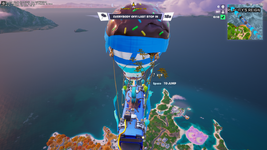
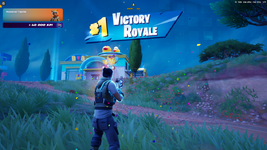
Screenshot from game showing Wallhack/ESP:
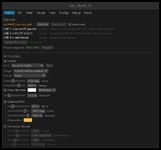
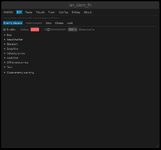
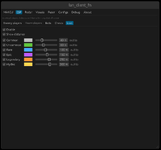
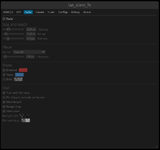
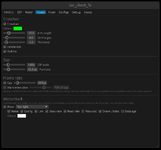
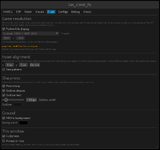
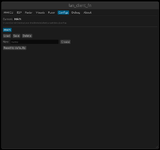
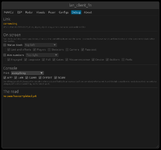
Menu showcase:
Features list:
1. Visuals & ESP
Target Categories:
Enemy Players (Human opponents)
Friendly / Squad Teammates
AI Bots (Dedicated separate group filter for filler bots)
Downed Players (DBNO - Down But Not Out state & dying timers)
World Containers & Chests (Standard Chests, Rare Chests, Ammo Boxes, Safes, Supply Drops)
ESP Render Styles & Indicators:
2D Bounding Boxes (Corners, Full Rectangle, Filled translucent background)
3D Bone / Skeleton ESP (Joint tracking when mesh is active)
Head Dot / Marker (Capsule-aligned head positioning)
Snaplines / Tracers (Bottom, Crosshair / Center, Top screen origins)
Velocity Vector Arrow (Real-time movement heading and horizontal speed vector)
Look Direction Line (Gaze vector showing enemy facing direction)
FOV Cone Arrow (Directional screen-edge indicator for off-screen enemies)
Hardware Mouse Emulation: Physical USB/serial mouse input via external MAKCU microcontroller (100% external hardware input, zero software mouse events on the Game PC).
Target Selection & Prioritization: Crosshair FOV, Distance, or Smart Hybrid (blending distance with crosshair error).
Target Aim Points: Head or dynamic Capsule height.
Distance-Adaptive FOV Bands: Dynamic pull strength and FOV cone scaling relative to target range.
Visual Overlay: On-screen FOV circle and active lock indicator.
Instruction:
Option 1: LAN Mode (Poor DMA - 2 PCs over Network)
Use this if you do not have a physical DMA card. Both computers must be connected to the same local network / subnet. Step 1 - On the Game PC:
Launch Fortnite.
Open an Administrator Command Prompt or PowerShell.
Run the server (must be launched after the game):
Code:
poor_dma_server.exe
Step 2 - On the Client PC (Secondary PC):
Run the client:
Code:
lan_client_fn.exe
(Optional) If automatic network discovery fails to find the Game PC, specify its IP address manually:
Code:
set POOR_DMA_PEER=192.168.1.xxx
 lan_client_fn.exe
Option 2: Hardware DMA Mode (PCIe FPGA Card)
Use this if you have a physical FPGA PCIe card (e.g., Captain, Enigma, Lambda, LeechCore). Hardware Setup:
Install the DMA card into a PCIe slot on the Game PC.
Connect the USB 3.0 data cable from the DMA card to the Client PC.
Place the PCILeech DLLs (vmm.dll, leechcore.dll, FTD3XX.dll, and dbghelp.dll) directly in the same folder as lan_client_fn.exe (or inside a DMA DLLs\ subfolder).
Step 1 - On the Game PC:
Power on the system and launch Fortnite.
Step 2 - On the Client PC:
Run the client with the -dma flag:
Code:
lan_client_fn.exe -dma
Display & Hardware Mouse Setup (Both Modes)
Video Fuser (Overlay): Plug the HDMI output from the Game PC and the HDMI output from the Client PC into an HDMI Video Fuser. The client renders as a transparent borderless fullscreen window keyed over the game.
Aimbot Mouse (MAKCU - Optional): Plug the MAKCU device into the Game PC via USB, and connect its COM/serial data cable to the Client PC. The client will auto-detect the serial port on startup.
OFFSETS UPDATING!!! If offsets are outdated (if you're reading this, they probably are, since I won't update them), you can update them yourself with this agentic dumper:
This is part of my project, which is connected with Poor DMA, while the main objective of this project is to be used with the thread in question:
There is a fully free and working DMA/Poor DMA cheat for Fortnite.
Of course, in the case of any game update, there is a need to update the offsets. In that case, this dumper needs to be used. It can additionally be used to make your own cheat. It is also called an agentic dumper...
The only thing you need to do is ask AI to check one .md file, and it will update the offsets for you using DMA or Poor DMA, offsets are in the file offsets.toml, the only think you should do is to specify method of reading memory and where is file with offsets to update. IF YOU UPDATE THEM YOURSELF SHARE THEM HERE FOR OTHER PEOPLE AS REPLAY BELOW WITH DATE!!!
Troubleshooting
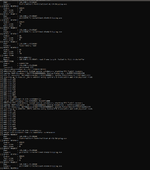
In case of any bugs, or problems while using this cheat, don't forget to paste log in replay and additionally in details explain what is the issue, and if there is such possibility include image, in that case I can HELP, if you are going to write that there is SOME bug and you can't even clarify what it is, you will be ignored.
second pc can be smart refrigerator lol, there is just need of any pc with usb and windows that can run cheat, such cheat is not resecures intense it can be anu junke tbh, for card look at this thread, I use the cheapest thing form AliExpress baisclly same card as most DMA sellers would sell
ik they arent really cheap but my friend says he gets them for 50 a piece for 100t and 45 a piece for 75t so if someone could help that be great
And the biggest issue if firmware for the card, for that soon I'll release another thread about it, how to make firmware with full LAN emulation, so it will work for any game, even rust, but there won't be any IOMMU bypass
This site uses cookies to help personalise content, tailor your experience and to keep you logged in if you register.
By continuing to use this site, you are consenting to our use of cookies.