first u need to download class informer plugin for ida and signature maker for ida
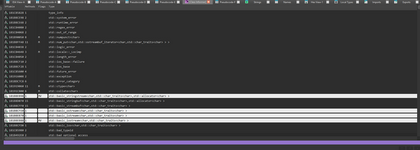
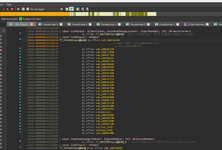
after that load client.dll into ida and wait till everything auto analyzed then open class informer "edit-plugins-classinformer" and then search it should look something like "first image" this then press ctrl f and search for ccsgoinput and the one with 30 functions "methods" is the right one double click on it then u should be here "secondimage" and the 8th from the bottom is the right sub for createmove21 u can rename it with n to createmove21 or whatever u want to remember it then double click on the renamed sub and dissasemble with f5
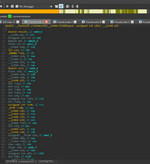
then it should look like this "third image" now click on createmove21 at the top once go to edit plugins signature maker leave all settings as default ida style signature and create a signature for that function now u have a signature which u can hook it with that sig
Signature for 180C6A7C0: 48 8B C4 4C 89 40 ? 48 89 48 ? 55 53 41 54
after that load client.dll into ida and wait till everything auto analyzed then open class informer "edit-plugins-classinformer" and then search it should look something like "first image" this then press ctrl f and search for ccsgoinput and the one with 30 functions "methods" is the right one double click on it then u should be here "secondimage" and the 8th from the bottom is the right sub for createmove21 u can rename it with n to createmove21 or whatever u want to remember it then double click on the renamed sub and dissasemble with f5
then it should look like this "third image" now click on createmove21 at the top once go to edit plugins signature maker leave all settings as default ida style signature and create a signature for that function now u have a signature which u can hook it with that sig
Signature for 180C6A7C0: 48 8B C4 4C 89 40 ? 48 89 48 ? 55 53 41 54