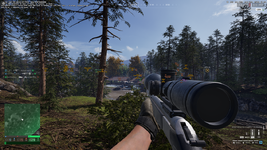
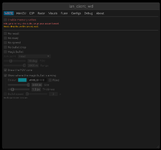
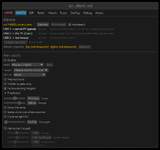
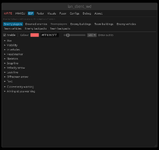
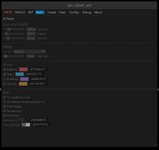
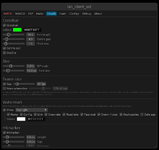
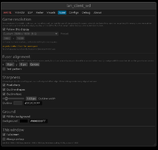
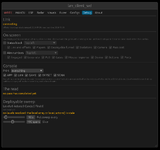
Today I would like to share one of my cheats that I vibe coded (there will be more ), at first I would like to clarify that this is DMA cheat, but it can be also used as External cheat if we were to use my technology that I called Poor DMA, everything what you need to know regarding this approach is located under this link:
Poor DMA can be seen as an alternative to real DMA cards where you do not need custom firmware to bypass anti-cheats. It is important to mention that Poor DMA in its current state primarily relies on reading physical memory, though it can also be expanded to read virtual memory. For the purpose of reading memory and performing initial kernel address translation via CR3, Poor DMA abuses a Windows driver named KslD.sys, which is a legitimate component of Windows Defender. Specifically, this driver is used for low-level diagnostic operations such as arbitrary...
While important things is that, there is no possibility to use write with Poor DMA, thus you can have only read functions there, so you can't use no spread, magic bullet etc...
This is the fun part, magic bullet showcase (only DMA, no poor DMA):
Magic Bullet: Redirects/teleports fired projectiles directly to enemy hitboxes within a customizable FOV cone.
Instruction:
Option 1: LAN Mode (Poor DMA - 2 PCs over Network)
Use this if you do not have a physical DMA card. Both computers must be connected to the same local network / subnet. Step 1 - On the Game PC:
Launch Wardogs.
Open an Administrator Command Prompt or PowerShell.
Run the server (must be launched after the game):
Code:
poor_dma_server.exe
Step 2 - On the Client PC (Secondary PC):
Run the client:
Code:
lan_client_wd.exe
(Optional) If automatic network discovery fails to find the Game PC, specify its IP address manually:
Code:
set POOR_DMA_SERVER=192.168.1.xxx
 lan_client_wd.exe
Option 2: Hardware DMA Mode (PCIe FPGA Card)
Use this if you have a physical FPGA PCIe card (e.g., Captain, Enigma, Lambda, LeechCore). Hardware Setup:
Install the DMA card into a PCIe slot on the Game PC.
Connect the USB 3.0 data cable from the DMA card to the Client PC.
Place the PCILeech DLLs (vmm.dll, leechcore.dll, FTD3XX.dll, and dbghelp.dll) directly in the same folder as lan_client_wd.exe (or inside a DMA DLLs\ subfolder).
Step 1 - On the Game PC:
Power on the system and launch Wardogs.
Step 2 - On the Client PC:
Run the client with the -dma flag:
Code:
lan_client_wd.exe -dma
Display & Hardware Mouse Setup (Both Modes)
Video Fuser (Overlay): Plug the HDMI output from the Game PC and the HDMI output from the Client PC into an HDMI Video Fuser. The client renders as a transparent borderless fullscreen window keyed over the game.
Aimbot Mouse (MAKCU - Optional): Plug the MAKCU device into the Game PC via USB, and connect its COM/serial data cable to the Client PC. The client will auto-detect the serial port on startup.
OFFSETS UPDATING!!! If offsets are outdated (if you're reading this, they probably are, since I won't update them), you can update them yourself with this agentic dumper:
This is part of my project, which is connected with Poor DMA, while the main objective of this project is to be used with the thread in question:
There is a fully free and working DMA/Poor DMA cheat for Wardogs.
Of course, in the case of any game update, there is a need to update the offsets. In that case, this dumper needs to be used. It can additionally be used to make your own cheat. It is also called...
The only thing you need to do is ask AI to check one .md file, and it will update the offsets for you using DMA or Poor DMA, offsets are in the file offsets.toml, the only think you should do is to specify method of reading memory and where is file with offsets to update. IF YOU UPDATE THEM YOURSELF SHARE THEM HERE FOR OTHER PEOPLE AS REPLAY BELOW WITH DATE!!!
Troubleshooting
In case of any bugs, or problems while using this cheat, don't forget to paste log in replay and additionally in details explain what is the issue, and if there is such possibility include image, in that case I can HELP, if you are going to write that there is SOME bug and you can't even clarify what it is, you will be ignored.
This site uses cookies to help personalise content, tailor your experience and to keep you logged in if you register.
By continuing to use this site, you are consenting to our use of cookies.


 ), at first I would like to clarify that this is DMA cheat, but it can be also used as External cheat if we were to use my technology that I called Poor DMA, everything what you need to know regarding this approach is located under this link: