Welcome to hackvshack.net Forum!
Download Free HvH CS2/CS:GO Cheats, CFG, LUA/JS Scripts, and More!
Register

Tutorial Download Counter-Strike 2 outdated version + servers list

Status
Thread closed. Topic resolved/outdated. For updates, start new thread. Files removed to save server space.

brexbos

Rookie HvHer
User ID:
45186
Messages:
46
Reactions:
39
Badges:
13
REP:
−0/0+
Level:
126
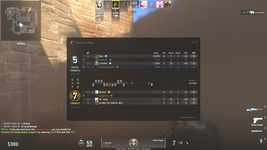
On this build you can play on servers too

SS:
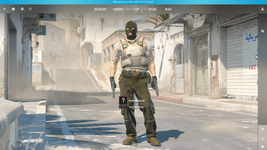
1.PNG

Servers list :

➤ [EU North] OOF.LV - [Competitive] IP ---> connect cs2.oof.lv​

➤ [DE] OOF.LV - [Competitive] IP ---> connect c2.oof.lv:26615​

➤ [EU North] CHILL.LV - [Competitive] IP ---> connect cs2.chill.lv​

➤ [FR] Home-Network - [Deathmatch] Classic --> connect home-network.ovh:27015​

➤ [FR] Home-Network - [Deathmatch] Only HS --> connect home-network.ovh:27020​

➤ [FR] Home-Network - [Retake] IP --> connect home-network.ovh:27018​

➤ [FR] Home-Network - [Competitive] ---> connect home-network.ovh:27019​

➤ [CA] bat420.com - [Competitive] IP ---> connect cs2.bat420.com​

➤ [CA] bat420.com - Competitive de_inferno_classic IP ---> connect cs2.bat420.com:27016​

➤ [CA] bat420.com - Deathmatch Classic IP ---> connect cs2.bat420.com:27017​

➤ [PL] cs.mhsv.pl [Competitive] IP ---> connect cs.mhsv.pl​


Password for .zip file is hvh.net

Last edited by a moderator:
im already smelling comments like "where is .exe" and other stuff

To get it working just follow this steps :

1. Open Steam - Library - Add a product - Product that is not from Steam

then search for where you downloaded the game (probably in Downloads)

2. Go to : \game\bin\win64
there should be the .exe just select it and then click add selected

3. Go to the game and then parameters

4. write -Steam

you're ready to go
 
Last edited:
im already smelling comments like "where is .exe" and other stuff

To get it working just follow this steps :

1. Open Steam - Library - Add a product - Product that is not from Steam

then search for where you downloaded the game (probably in Downloads)

2. Go to : \cs2\bin\win64
there should be the .exe just select it and then click add selected

3. Go to the game and then parameters

4. write -Steam

you're ready to go
ty!
 
Some other issues
I can't access my inventory!
  • This is due to the game not connecting to the Counter-Strike servers. To fix this, follow those steps

  1. Open up your normal CS:GO and keep it running in the background. (I suggest to limit the FPS in the menu by using fps_max 1 & fps_max_menu 1 in the console to limit CS:GO using your resource in the background)

  1. Open up now CS2 and wait a little. It should connect you now to the Counter-Strike network in CS2

I get "Unable to establish a connection with the gameserver." when I try to join a server
  • You probably tried to join a server that is offline at the moment. Try to join a different server.
 
Last edited:
  • Like
Reactions: Plisskien
make sure to check our server out! at

OR at our server: connect hvh.aimwa.re
 
  • Like
Reactions: brexbos
why can't i connect to local server?
I can't access my inventory!
  • This is due to the game not connecting to the Counter-Strike servers. To fix this, follow those steps

  1. Open up your normal CS:GO and keep it running in the background. (I suggest to limit the FPS in the menu by using fps_max 1 & fps_max_menu 1 in the console to limit CS:GO using your resource in the background)

  1. Open up now CS2 and wait a little. It should connect you now to the Counter-Strike network in CS2
if it still doesn't connect restart cs 2 and wait some mins
 
  • Love
Reactions: elzovi
I can't access my inventory!
  • This is due to the game not connecting to the Counter-Strike servers. To fix this, follow those steps

  1. Open up your normal CS:GO and keep it running in the background. (I suggest to limit the FPS in the menu by using fps_max 1 & fps_max_menu 1 in the console to limit CS:GO using your resource in the background)

  1. Open up now CS2 and wait a little. It should connect you now to the Counter-Strike network in CS2
if it still doesn't connect restart cs 2 and wait some mins
thanks brotha
 
Aimware only support's the newest version of csgo. aswell as our game server only support's the newest version of csgo
 
We have now added a new nospread HvH server for CS2!
More info and the whole server list can be found here:
 
Status
Thread closed. Topic resolved/outdated. For updates, start new thread. Files removed to save server space.

Who has read this thread (Total: 0) in last 1 hours View details