How to Install and Run CS:GO 2018 (March Version)
Download and Setup
1. Download CS:GO 2018 (March) from this link:
https://files.hackvshack.net/2018.zip
This version includes all necessary fixes:
- Client fix (prevents crashes)
- Prime status bypass (allows joining HvH servers)
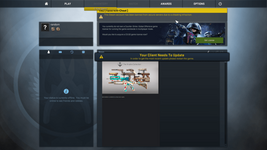
- Version fix (enables menu usage)
2. Unzip the downloaded file.
3. Locate the
CSGO.bat file in the extracted folder.
First-Time Setup
If this is your first time running CS:GO Legacy, you'll need to install:
- Visual C++ Redistributable
- DirectX
Both files are included in the zip file. To install them:
1. Run the
CSGO.bat file.
2. Follow the prompts to install the required components.
Adding to Steam Library
1. Open Steam and go to your Library.
2. In the bottom-left corner, click "
ADD A GAME".
3. Select "
ADD A NON-STEAM GAME".
4. Click "
BROWSE".
5. Navigate to the folder where you extracted the files.
6. Select
csgo.exe. It's typically located at:
C:\Users\YOUR_USERNAME\Downloads\csgo 2018\csgo 2018 (supremacy)\csgo.exe
7. Click "
Open" to add the game to your Steam library.
Running the Game
You can now launch the game in two ways:
1. From Steam: Click "
PLAY" in your Steam library, after game was added to steam!
2. Directly: Run the
CSGO.bat file in the downloaded folder, If the game doesn't start, double-check that
Steam is running in the background.
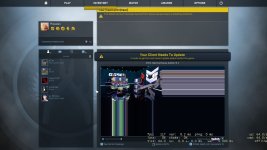
This is how it should looks like!
Known Issues and Fixes
Game Crashes on Start
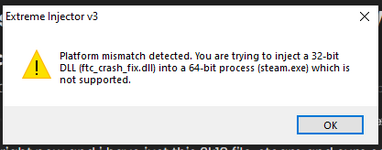
If the game crashes on start, your version may be missing the fixed
client.dll file.
- Download it from here:
So, if your csgo is crashing on start (2018 version) there is one way to fix this. You wanna replace the "client.dll" in F:\Program Files (x86)\Steam\steamapps\common\2k18csgo\csgo\bin (your 2018 csgo folder) with the "client.dll" that you gonna download from here. Simple...

hackvshack.net
Game is not starting at all?
If the game is still not launching:
- Execute dxsetup.exe to install DirectX.

- This file is located in the directx_installer folder.
Popup "Account Error" Blocking CSGO Menu: unable to join servers
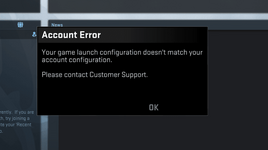
Try these solutions (first option recommended):
1. Unlock whole menu
This will give you full menu functionality.
Proper fix, for the game closing when launching 2018. First, go to your "2018 March" install folder -> and go into the "csgo" folder. Find your steam.inf config file, and open it. It should say something like "ClientVersion=650" and you need to change that to...
hackvshack.net
2. Console-only fix
This allows you to use the console, but you'll have to do everything through it.
READ BEFORE COMMENTING! there is now a way to bypass the prompt 2018 and 2023 gives you when you launch the game. Go to CS:GO in steam library and and select properties put this into launch options and enjoy! Thanks kit for the help (idk cs launch options thx) US/NA IP's: Dick...
hackvshack.net
Game Freezes When Joining Server
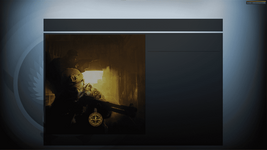
If the game freezes and nothing happens when joining a server, you may not have prime status.
- Use this fix to bypass the prime status check.
To play legacy hvh you will need to replace the dll named "engine" from &YOUR2K18CSGO&\bin with the one I attached below. After you replaced the dll you will start the game, open the console and type the command "connect &SERVER&"
hackvshack.net
Popup "FATAL ERROR" message when running CSGO.exe
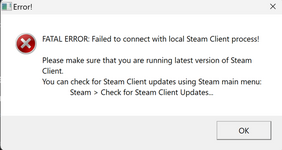 Make sure Steam is running in the background!
- All legacy versions are Steam versions
- The game needs Steam to be running to retrieve information such as your username
- Without Steam running, the game cannot launch properly
To fix this error:
1. Close the error message
2. Open Steam and log in to your account
3. Try launching the game again
Additional Resources
CSGO HvH Legacy Servers
Looking for servers? Check out our server list:
hackvshack.net
Cheats for CS:GO Legacy 2018
- Free Cheat Downloads
Explore our collection of HvH Cheats for Counter Strike Global Offensive Legacy 2018.
hackvshack.net
- CFG/LUA/JS for these cheats
Explore our collection of free Configs, LUA/JS Scripts for CS:GO Legacy 2018
hackvshack.net
Credits:
@Staqr,
@PancakeWithPotato,
@bozoslayer47,
@brexbos,
@vouza