
Bhop is under work and so the seeded triggerbot.yo can you add some more legitbot features ( to make it also like semirage) also are you working on the bunny hop im really excited to see it
You are using an out of date browser. It may not display this or other websites correctly.
You should upgrade or use an alternative browser.
You should upgrade or use an alternative browser.
Welcome to hackvshack.net Forum!
Download Free HvH CS2/CS:GO Cheats, CFG, LUA/JS Scripts, and More!
Register
- Status
- Thread closed. Topic resolved/outdated. For updates, start new thread. Files removed to save server space.

User is currently banned.
seed trigger?Bhop is under work and so the seeded triggerbot.
User is currently banned.
Great lmaoYes, Reev before it was discontinued, it had a working seed triggerbot and so Kobalt, it is under work for improvements.

nice also how do you configure the silent aim ?Yes, Reev before it was discontinued, it had a working seed triggerbot and so Kobalt, it is under work for improvements.
Set it up how you wishnice also how do you configure the silent aim ?
It no longer needs aimbot to be active in order for Saim to function.
its crashing for me right now and im injecting through the loader also i already played with it do you know a fix?Set it up how you wish
It no longer needs aimbot to be active in order for Saim to function.
Yeah, the new update changed something in the music kit side.its crashing for me right now and im injecting through the loader also i already played with it do you know a fix?
I've already fixed this, download is in my discord or wait until i upload new DLL here.
Update log: 22nd of May 2026
# AIMBOT & WEAPON SYSTEMS
- [Human Aimbot] A brand new aiming engine built to mimic natural human mouse movements. Every flick is fully randomized, ensuring no two shots are identical.
- [Reaction Settings] Added a customizable Reaction section where you can pick a minimum/maximum reaction time and add a transition delay when switching to new targets.
- [Aim Curve Tuning] Added a dedicated Aim Curve section to customize windup time, settle time, peak speed, speed variance, and curve shape.
- [Aimbot Humanization] Added micro-jitter, overshoot chance/strength, dead zone controls, and a pre-fire drift toggle for unmatched realism.
- [Silent Aim Independence] Silent Aim now operates completely independent of the Legit Aimbot, activating on its own keybind modes (Hold, Toggle, or Always On) without requiring the main Legit Aim key to be held.
- [Silent Aim Responsiveness] Silent Aim is no longer delayed by the Legit Aimbot's reaction-time settings.
- [Silent Aim Movement Safety] Auto Stop and Assisted Recoil no longer engage when only Silent Aim is active, keeping your movement and crosshair completely untouched.
- [Backtrack Chams] Added customizable backtrack chams to visualize history records.
- [Dynamic FOV Circle] Fixed a bug where the FOV circle did not properly follow where shots were being fired.
- [Recoil Control System (RCS)] Fixed an issue where the main RCS did nothing when no enemies were in aim assist range (e.g., behind walls, dummies, or prefiring). The RCS logic has been reverted to the previous stable and responsive version.
# VISUALS & ESP
- [Sound ESP] Draws glowing, customizable rings on the ground at the location of noise-making players (footsteps, shots, reloads, jumps, defuses). Includes filtering options (Enemy, Team, Both), custom colors, and multiple styles (Ring, Disc, Pulse).
- [Customizable Damage Indicators] Fully custom damage indicators with 5 unique styles: Default (Glow), Standard Outline, Shadow Only, Plate Background, and Static (No Float). Includes a custom color picker.
- [Zeus Lightning Color] Customize the color and opacity of the lightning bolt emitted when firing the Zeus x27 (Taser).
- [Grenade Explosion Color] Added custom accent color selection for HE grenade and standard explosions.
- [Glow Styles] Fixed Glow Solid, Outline, and Pulse looking identical. Added new Strobe and Rainbow options.
- [Glow Performance] Glow animations are now processed per-frame for butter-smooth visuals, and disabling Glow now cleanly restores default player appearances.
- [Spectated Player ESP] ESP visuals are no longer incorrectly applied to the player you are currently spectating.
- [Hitmarkers] Hitmarkers now appear precisely where bullets land, correcting positioning issues caused by CS2 animation updates.
- [Flicker Reduction] Local player resolution calculations no longer flicker for a tick during respawn or team swaps, eliminating brief ESP/Chams dropouts.
- [Bullet Tracers Option] Temporarily removed the Bullet Tracers option from the Visuals menu pending a complete feature rework.
# INVENTORY & SKIN CHANGER
- [Sticker Support] Added full Sticker support. You can now apply custom stickers to your weapons and see them render live in-game.
- [Weapon Charms] Added full Charm support. Equip your favorite weapon charms directly from the inventory.
- [Charm Chams] Added custom chams support for charms. Apply your preferred chams materials to your equipped charm models.
- [Knife & Glove Reliability] Resolved issues where knife skins appeared vanilla without paint/finish, and gloves reverted to default during warmup, respawns, fast-paced modes (Arms Race, Deathmatch), or on third-person world models.
- [Glove Chams] Glove chams now correctly apply to default gloves when no custom gloves are equipped.
- [Agent Changer] Equipped custom agents now render correctly during the team intro cinematic, the end-of-match win panel, and the final lineup.
- [Case Opening] Fixed a bug where case openings revealed items that did not belong to the opened container.
- [CS2 Compatibility] Fixed compatibility issues with the latest CS2 updates, restoring full Music Kit changer support.
# THROWABLE HELPER & GAMEPLAY
- [Throwable Helper] Added a live in-game lineup recorder under `Misc > Throwable Helper`. Save your own lineups (Stand, Jump, Run, Walk, Jump+Run, Crouch, Lob, Drop) with stand markers, predicted flight paths, landing icons, aim guides, and a "READY" alignment indicator. Also includes soft Aim Assist locking and custom filtering.
- [Bot Control] Features such as aimbot, triggerbot, and movement assistance now seamlessly follow the bot you are driving when taking control, instead of sticking to your dead player pawn.
- [Team Damage Tracker] Upgraded the team damage tracker to match CS2's exact competitive ban thresholds.
- [Spawn Protection Alert] Added a spawn-protection countdown in the Team Damage panel header which pulses red when you are in the instant-kick danger window.
- [Teammate Warnings] Displays dynamic warning tags ("1 TK = BAN", "TK BAN!", "SPAWN!", "AT RISK") on teammates based on safety levels.
- [Team Damage UI] Tracks spawn-window damage and standard team damage independently, featuring a yellow threshold tick on progress bars.
- [Team Damage Panel Customization] The overlay is now fully movable, can filter players (Both Teams, My Team, Enemy, Local Only), features a reset button, and saves/restores its position automatically across game sessions.
# AUDIO & NOSTALGIA
- [CS 1.6 Weapon Sounds] Added an option to replace CS2's weapon, reload, and C4 sounds with classic CS 1.6 game audio. This nostalgia feature requires using the `KobaltInjector` to load `bass.dll`.
- [Audio Architecture] Streamlined audio handling so that `bass.dll` is no longer a required dependency for Radio, YouTube playback, and other standard media features.
# UI & UX IMPROVEMENTS
- [Matchmaking Ready] Replaced the standard "Go" text on the matchmaking ready button with custom "Kobalt it" branding.
- [Menu Animations] Added smooth open and close sliding animations to the menu interface.
- [ESP & Chams Tabs] Re-organized ESP and Chams options into two distinct, dedicated subtabs.
- [Weapon Categories] Re-positioned the weapon category selector into a separate panel at the top of the interface.
- [Hitbox Selector] Centered the Hitbox selector in the menu and removed the fullscreen darkening overlay when the popup is opened, resolving selection bugs.
- [Chrome Chams] Added "Chrome" as a selectable chams material option.
# STABILITY & TECHNICAL FIXES
- [Spawning & Map Load Fixes] Fixed critical crashes occurring instantly when loading into a match or spawning.
- [Lua Script Transitions] Fixed a Lua engine crash that occurred when loading into a match while active scripts were running in the background.
- [Gunfight Crashes] Resolved a crash triggered during active fire trades after the latest game update.
- [Spectator List Crash] Fixed a bug where the spectator list could trigger a crash during map load cycles.
- [Feature Stability] Resolved rare crashes associated with the Team Damage Indicator, Third Person mode, and Penetration Crosshair mid-match.
# AIMBOT & WEAPON SYSTEMS
- [Human Aimbot] A brand new aiming engine built to mimic natural human mouse movements. Every flick is fully randomized, ensuring no two shots are identical.
- [Reaction Settings] Added a customizable Reaction section where you can pick a minimum/maximum reaction time and add a transition delay when switching to new targets.
- [Aim Curve Tuning] Added a dedicated Aim Curve section to customize windup time, settle time, peak speed, speed variance, and curve shape.
- [Aimbot Humanization] Added micro-jitter, overshoot chance/strength, dead zone controls, and a pre-fire drift toggle for unmatched realism.
- [Silent Aim Independence] Silent Aim now operates completely independent of the Legit Aimbot, activating on its own keybind modes (Hold, Toggle, or Always On) without requiring the main Legit Aim key to be held.
- [Silent Aim Responsiveness] Silent Aim is no longer delayed by the Legit Aimbot's reaction-time settings.
- [Silent Aim Movement Safety] Auto Stop and Assisted Recoil no longer engage when only Silent Aim is active, keeping your movement and crosshair completely untouched.
- [Backtrack Chams] Added customizable backtrack chams to visualize history records.
- [Dynamic FOV Circle] Fixed a bug where the FOV circle did not properly follow where shots were being fired.
- [Recoil Control System (RCS)] Fixed an issue where the main RCS did nothing when no enemies were in aim assist range (e.g., behind walls, dummies, or prefiring). The RCS logic has been reverted to the previous stable and responsive version.
# VISUALS & ESP
- [Sound ESP] Draws glowing, customizable rings on the ground at the location of noise-making players (footsteps, shots, reloads, jumps, defuses). Includes filtering options (Enemy, Team, Both), custom colors, and multiple styles (Ring, Disc, Pulse).
- [Customizable Damage Indicators] Fully custom damage indicators with 5 unique styles: Default (Glow), Standard Outline, Shadow Only, Plate Background, and Static (No Float). Includes a custom color picker.
- [Zeus Lightning Color] Customize the color and opacity of the lightning bolt emitted when firing the Zeus x27 (Taser).
- [Grenade Explosion Color] Added custom accent color selection for HE grenade and standard explosions.
- [Glow Styles] Fixed Glow Solid, Outline, and Pulse looking identical. Added new Strobe and Rainbow options.
- [Glow Performance] Glow animations are now processed per-frame for butter-smooth visuals, and disabling Glow now cleanly restores default player appearances.
- [Spectated Player ESP] ESP visuals are no longer incorrectly applied to the player you are currently spectating.
- [Hitmarkers] Hitmarkers now appear precisely where bullets land, correcting positioning issues caused by CS2 animation updates.
- [Flicker Reduction] Local player resolution calculations no longer flicker for a tick during respawn or team swaps, eliminating brief ESP/Chams dropouts.
- [Bullet Tracers Option] Temporarily removed the Bullet Tracers option from the Visuals menu pending a complete feature rework.
# INVENTORY & SKIN CHANGER
- [Sticker Support] Added full Sticker support. You can now apply custom stickers to your weapons and see them render live in-game.
- [Weapon Charms] Added full Charm support. Equip your favorite weapon charms directly from the inventory.
- [Charm Chams] Added custom chams support for charms. Apply your preferred chams materials to your equipped charm models.
- [Knife & Glove Reliability] Resolved issues where knife skins appeared vanilla without paint/finish, and gloves reverted to default during warmup, respawns, fast-paced modes (Arms Race, Deathmatch), or on third-person world models.
- [Glove Chams] Glove chams now correctly apply to default gloves when no custom gloves are equipped.
- [Agent Changer] Equipped custom agents now render correctly during the team intro cinematic, the end-of-match win panel, and the final lineup.
- [Case Opening] Fixed a bug where case openings revealed items that did not belong to the opened container.
- [CS2 Compatibility] Fixed compatibility issues with the latest CS2 updates, restoring full Music Kit changer support.
# THROWABLE HELPER & GAMEPLAY
- [Throwable Helper] Added a live in-game lineup recorder under `Misc > Throwable Helper`. Save your own lineups (Stand, Jump, Run, Walk, Jump+Run, Crouch, Lob, Drop) with stand markers, predicted flight paths, landing icons, aim guides, and a "READY" alignment indicator. Also includes soft Aim Assist locking and custom filtering.
- [Bot Control] Features such as aimbot, triggerbot, and movement assistance now seamlessly follow the bot you are driving when taking control, instead of sticking to your dead player pawn.
- [Team Damage Tracker] Upgraded the team damage tracker to match CS2's exact competitive ban thresholds.
- [Spawn Protection Alert] Added a spawn-protection countdown in the Team Damage panel header which pulses red when you are in the instant-kick danger window.
- [Teammate Warnings] Displays dynamic warning tags ("1 TK = BAN", "TK BAN!", "SPAWN!", "AT RISK") on teammates based on safety levels.
- [Team Damage UI] Tracks spawn-window damage and standard team damage independently, featuring a yellow threshold tick on progress bars.
- [Team Damage Panel Customization] The overlay is now fully movable, can filter players (Both Teams, My Team, Enemy, Local Only), features a reset button, and saves/restores its position automatically across game sessions.
# AUDIO & NOSTALGIA
- [CS 1.6 Weapon Sounds] Added an option to replace CS2's weapon, reload, and C4 sounds with classic CS 1.6 game audio. This nostalgia feature requires using the `KobaltInjector` to load `bass.dll`.
- [Audio Architecture] Streamlined audio handling so that `bass.dll` is no longer a required dependency for Radio, YouTube playback, and other standard media features.
# UI & UX IMPROVEMENTS
- [Matchmaking Ready] Replaced the standard "Go" text on the matchmaking ready button with custom "Kobalt it" branding.
- [Menu Animations] Added smooth open and close sliding animations to the menu interface.
- [ESP & Chams Tabs] Re-organized ESP and Chams options into two distinct, dedicated subtabs.
- [Weapon Categories] Re-positioned the weapon category selector into a separate panel at the top of the interface.
- [Hitbox Selector] Centered the Hitbox selector in the menu and removed the fullscreen darkening overlay when the popup is opened, resolving selection bugs.
- [Chrome Chams] Added "Chrome" as a selectable chams material option.
# STABILITY & TECHNICAL FIXES
- [Spawning & Map Load Fixes] Fixed critical crashes occurring instantly when loading into a match or spawning.
- [Lua Script Transitions] Fixed a Lua engine crash that occurred when loading into a match while active scripts were running in the background.
- [Gunfight Crashes] Resolved a crash triggered during active fire trades after the latest game update.
- [Spectator List Crash] Fixed a bug where the spectator list could trigger a crash during map load cycles.
- [Feature Stability] Resolved rare crashes associated with the Team Damage Indicator, Third Person mode, and Penetration Crosshair mid-match.

not gonna be that guy but you could edit the actual thread with the updates everytime (i think you can do that no?) so the thread doesnt have 20+ pagesUpdate log: 22nd of May 2026
# AIMBOT & WEAPON SYSTEMS
- [Human Aimbot] A brand new aiming engine built to mimic natural human mouse movements. Every flick is fully randomized, ensuring no two shots are identical.
- [Reaction Settings] Added a customizable Reaction section where you can pick a minimum/maximum reaction time and add a transition delay when switching to new targets.
- [Aim Curve Tuning] Added a dedicated Aim Curve section to customize windup time, settle time, peak speed, speed variance, and curve shape.
- [Aimbot Humanization] Added micro-jitter, overshoot chance/strength, dead zone controls, and a pre-fire drift toggle for unmatched realism.
- [Silent Aim Independence] Silent Aim now operates completely independent of the Legit Aimbot, activating on its own keybind modes (Hold, Toggle, or Always On) without requiring the main Legit Aim key to be held.
- [Silent Aim Responsiveness] Silent Aim is no longer delayed by the Legit Aimbot's reaction-time settings.
- [Silent Aim Movement Safety] Auto Stop and Assisted Recoil no longer engage when only Silent Aim is active, keeping your movement and crosshair completely untouched.
- [Backtrack Chams] Added customizable backtrack chams to visualize history records.
- [Dynamic FOV Circle] Fixed a bug where the FOV circle did not properly follow where shots were being fired.
- [Recoil Control System (RCS)] Fixed an issue where the main RCS did nothing when no enemies were in aim assist range (e.g., behind walls, dummies, or prefiring). The RCS logic has been reverted to the previous stable and responsive version.
# VISUALS & ESP
- [Sound ESP] Draws glowing, customizable rings on the ground at the location of noise-making players (footsteps, shots, reloads, jumps, defuses). Includes filtering options (Enemy, Team, Both), custom colors, and multiple styles (Ring, Disc, Pulse).
- [Customizable Damage Indicators] Fully custom damage indicators with 5 unique styles: Default (Glow), Standard Outline, Shadow Only, Plate Background, and Static (No Float). Includes a custom color picker.
- [Zeus Lightning Color] Customize the color and opacity of the lightning bolt emitted when firing the Zeus x27 (Taser).
- [Grenade Explosion Color] Added custom accent color selection for HE grenade and standard explosions.
- [Glow Styles] Fixed Glow Solid, Outline, and Pulse looking identical. Added new Strobe and Rainbow options.
- [Glow Performance] Glow animations are now processed per-frame for butter-smooth visuals, and disabling Glow now cleanly restores default player appearances.
- [Spectated Player ESP] ESP visuals are no longer incorrectly applied to the player you are currently spectating.
- [Hitmarkers] Hitmarkers now appear precisely where bullets land, correcting positioning issues caused by CS2 animation updates.
- [Flicker Reduction] Local player resolution calculations no longer flicker for a tick during respawn or team swaps, eliminating brief ESP/Chams dropouts.
- [Bullet Tracers Option] Temporarily removed the Bullet Tracers option from the Visuals menu pending a complete feature rework.
# INVENTORY & SKIN CHANGER
- [Sticker Support] Added full Sticker support. You can now apply custom stickers to your weapons and see them render live in-game.
- [Weapon Charms] Added full Charm support. Equip your favorite weapon charms directly from the inventory.
- [Charm Chams] Added custom chams support for charms. Apply your preferred chams materials to your equipped charm models.
- [Knife & Glove Reliability] Resolved issues where knife skins appeared vanilla without paint/finish, and gloves reverted to default during warmup, respawns, fast-paced modes (Arms Race, Deathmatch), or on third-person world models.
- [Glove Chams] Glove chams now correctly apply to default gloves when no custom gloves are equipped.
- [Agent Changer] Equipped custom agents now render correctly during the team intro cinematic, the end-of-match win panel, and the final lineup.
- [Case Opening] Fixed a bug where case openings revealed items that did not belong to the opened container.
- [CS2 Compatibility] Fixed compatibility issues with the latest CS2 updates, restoring full Music Kit changer support.
# THROWABLE HELPER & GAMEPLAY
- [Throwable Helper] Added a live in-game lineup recorder under `Misc > Throwable Helper`. Save your own lineups (Stand, Jump, Run, Walk, Jump+Run, Crouch, Lob, Drop) with stand markers, predicted flight paths, landing icons, aim guides, and a "READY" alignment indicator. Also includes soft Aim Assist locking and custom filtering.
- [Bot Control] Features such as aimbot, triggerbot, and movement assistance now seamlessly follow the bot you are driving when taking control, instead of sticking to your dead player pawn.
- [Team Damage Tracker] Upgraded the team damage tracker to match CS2's exact competitive ban thresholds.
- [Spawn Protection Alert] Added a spawn-protection countdown in the Team Damage panel header which pulses red when you are in the instant-kick danger window.
- [Teammate Warnings] Displays dynamic warning tags ("1 TK = BAN", "TK BAN!", "SPAWN!", "AT RISK") on teammates based on safety levels.
- [Team Damage UI] Tracks spawn-window damage and standard team damage independently, featuring a yellow threshold tick on progress bars.
- [Team Damage Panel Customization] The overlay is now fully movable, can filter players (Both Teams, My Team, Enemy, Local Only), features a reset button, and saves/restores its position automatically across game sessions.
# AUDIO & NOSTALGIA
- [CS 1.6 Weapon Sounds] Added an option to replace CS2's weapon, reload, and C4 sounds with classic CS 1.6 game audio. This nostalgia feature requires using the `KobaltInjector` to load `bass.dll`.
- [Audio Architecture] Streamlined audio handling so that `bass.dll` is no longer a required dependency for Radio, YouTube playback, and other standard media features.
# UI & UX IMPROVEMENTS
- [Matchmaking Ready] Replaced the standard "Go" text on the matchmaking ready button with custom "Kobalt it" branding.
- [Menu Animations] Added smooth open and close sliding animations to the menu interface.
- [ESP & Chams Tabs] Re-organized ESP and Chams options into two distinct, dedicated subtabs.
- [Weapon Categories] Re-positioned the weapon category selector into a separate panel at the top of the interface.
- [Hitbox Selector] Centered the Hitbox selector in the menu and removed the fullscreen darkening overlay when the popup is opened, resolving selection bugs.
- [Chrome Chams] Added "Chrome" as a selectable chams material option.
# STABILITY & TECHNICAL FIXES
- [Spawning & Map Load Fixes] Fixed critical crashes occurring instantly when loading into a match or spawning.
- [Lua Script Transitions] Fixed a Lua engine crash that occurred when loading into a match while active scripts were running in the background.
- [Gunfight Crashes] Resolved a crash triggered during active fire trades after the latest game update.
- [Spectator List Crash] Fixed a bug where the spectator list could trigger a crash during map load cycles.
- [Feature Stability] Resolved rare crashes associated with the Team Damage Indicator, Third Person mode, and Penetration Crosshair mid-match.


Look in the discord server, there's a category for that.Does anyone have a Lua script related to this cheat? If so, could you share it?
I push loads of updates daily, it wouldn't be right to put them all in the thread.not gonna be that guy but you could edit the actual thread with the updates everytime (i think you can do that no?) so the thread doesnt have 20+ pages
Cheat is overall pretty bad, menu is horrible, hard to use and the search bar barely helps.About
Kobalt is an internal cheat for Counter-Strike 2.
It is built for legit play and visual quality alongside other various features.
I tried my best to do it all and make it as stable as possible.
This is the public BETA. Features are fully working but I am still testing and taking feedback before the final release.
Full Feature List
1. LEGIT tab
Legitbot - per weapon category (Pistol, Rifle, SMG, Sniper, Shotgun, LMG).
Share one config across all or set each one by itself.
Triggerbot - also per weapon category. (Currently disabled - under-work)
- General: Enable, Aim Key (hold / toggle / always on)
- Targeting: FOV (1-100), Smoothing (1-100), Hitbox priority selector (Head, Chest, Stomach, Pelvis, Arms, Legs, Feet) with a 3D model popup
- FOV Circle: Show / Hide, color, Dynamic Mode (follows recoil), thickness
- Recoil Control (RCS): On / Off, scale 0.1-4.0
- Assisted Recoil: On / Off, scale 0.1-4.0
- Silent Aim: On / Off, hitchance (0-100%), dedicated Silent Aim Key
- Global: Conditions (Visible / No smoke / No flash / Behind walls), Target priority (FOV / Distance / Health), Smoothing type (Linear / Human), Reaction time (0-500 ms), Max distance (0-5000)
- Extras: Auto Stop
- Activation: Always / Hold / Toggle + Trigger Key
- Per-category: Hitchance, Delay (ms), Head Only
- Burst Fire: count 1-10, delay 50-500 ms
- Options: Require Scope, Aim Mode (None / Seed)
- Filters: Ignore Teammates, Smoke, Flash
- Auto Wall: Enable + Minimum Damage
2. VISUALS tab
World subtab
ESP subtab
- Environment: World Color, Light Scene, Lighting, Sun, Clouds, Sky colors, Exposure (0-200%)
- Tracers: Local Bullet Tracers + color + visibility
- Grenades: Prediction line (5 styles), Effect card, Molotov Area + Opacity, Molotov Fire Color, Smoke Color
- World ESP: Dropped Weapon Icon, World Hitmarker, 2D Hitmarker
Local subtab
- Identity: Name, 8 Font Styles, Font Size, Avatar
- Bounding: Box with 8 styles (Normal, Corners, Corners Animated, Glow, Segmented, 3D, Dashed Neon, Chamfer)
- Status: Health Bar (Classic / Gradient / Modern) + optional text
- Equipment: Weapon Name, Weapon Icon, Ammo Bar
- Indicators: Flashed Eye (Enemy / Team) with size, Flags (Money / Armor / Kit / Scoped / Defusing / Latency)
- Effects: Skeleton, OOF Arrows, Glow (Solid / Outline / Pulse), Head Lines
- Chams: Enemy Visible / Invisible, Glow Overlay + Pulse, Local / Weapon / Arms / Glove / C4 Chams, 15 materials (Latex, Bloom, Glow, Solid, Xray, Spectrum, Glitch, Clown, Pearlescent, Crystal, Obsidian, Hologram, Slate, Plasma, Ghost)
- View: Override FOV / Viewmodel FOV / Aspect Ratio, Removals, Flash Intensity, Force Second Zoom
- Scope & Recoil: Remove Recoil, Remove Scope (Default / Overlay / Gradient / All), custom scope colors, length, gap, center dot, show spread
- Camera: Viewmodel Changer (FOV, X, Y, Z)
- Third Person: Enable + Key, Distance, Scope Zoom, Zoom Factor
- HUD & Damage: Damage Indicator, Penetration Crosshair (shape, radius, thickness, damage, per-state colors)
- Crosshair: Custom Crosshair (5 styles: Classic / Dot / Circle / T-Shape / Sniper)
3. INVENTORY (Skin Changer)
Full CS2 inventory browser and editor.
- Categories: Weapons, Knives, Gloves, Cases, Keys, Agents
- Per-item: Wear, Pattern / Seed, StatTrak + count, Custom Name
- My Items: copy ID, equip to CT or T, remove, clear all
- Settings: Enable Skin Changer, Save / Load Inventory, Initialize DB
4. MISC tab
Utility
Throwable Helper (Disabled - under-work)
- Movement: Bunny Hop (disabled - under-work)
- Automation: Auto Accept Match, Auto Knife, Auto Zeus + Accuracy, Treat Teammates As Enemies
- Autobuy: Primary, Secondary, Additional (Armor / Taser / Grenades / Defuser), Grenades filter
- Region Selector: Auto (Best Ping) or any datacenter
- Audio: Hit Sound (Metallic / Light / Coin / Money / Whack) + volume
- Social: Vote Tracker, Hit Logs
- Identity: Kobalt Clan Tag + optional Custom username
Overlay
- Nade Helper with Show All Lineups, Activation Distance, Color, Nade Filter (All / Smoke / Flash / Molotov / HE), Side Filter (Both / T / CT)
- Aim Assist with Key + Tolerance (°)
Models
- Widgets: Indicators, Spectators, Watermark, Radar, Keybinds, Configs HUD, Grenade Panel, Scoreboard, FPS Profiler
- FPS Profiler popup: per-group toggles with filter and Select All / None / Invert
- Sizing: Watermark scale, Spectators scale, Spectators only when active
- Radar: Range, Size, show toggles for Grenades / Deaths / Names / C4
- Round Info: C4 ESP (Timer / Distance / Site / Defuse info / Size), Team Damage Indicator
- Custom Player Models (CT + T) from .vmdl_c files
- Drop into game/csgo/characters/models/<name>/<name>.vmdl_c
- Refresh + Open folder buttons
5. LUA tab
- Scripts library with search, author, description, enable/disable, reload, open folder
- Console with Info / Warn / Error / OK filters, auto-scroll, copy error
- Scripts can use print("..."), warn("...") and OnPaint callbacks
6. MENU tab
- Settings: Menu accent color, Menu Size (0.75x-1.50x), Transparency, Blur Strength, Background Darkness, Border Brightness, Darken Background, Glow, Flying Logos, Unload Cheat (confirm)
- Radio: Search / Favorites / Browse by country, Now Playing strip, volume, stop
- YouTube: optional YouTube player
7. CONFIG tab
- Local: Save / Load / Delete / Create, search, open folder
- Public: Browse and one-click download community configs from GitHub
Menu
- Global Search with Ctrl + F
- Keyboard Navigation (1-8 for tabs)
- 7 Languages (English, Español, Russian, Chinese, Deutsch, Português, Română) from the globe icon
- Every overlay widget is draggable
Default Keybinds
- INSERT - open / close menu
- DELETE - unload (panic)
- 1-8 - quick switch tabs
- Ctrl + F - global search
Requirements
Support
- Windows 10 / 11 (x64)
- Counter-Strike 2
- Visual C++ 2015-2022 Redistributable (x64)
Post your bug/issue here or in the official discord serverYou must be registered for see links
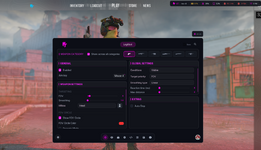
Lots of features which have been implement half heartedly or are just purely vibecoded.
funnily enough most Visual feature are hot garbage while the aimbot has potential.
Tip for the future: Instead of relying on AI learn how to do it yourself and rather than spamming a bunch of useless feature build a solid engine you can later work off from and then implement such features, the current implementation from UI to Legitbot feels just unfinished (which it probably is) in every aspect, simple things such as glow dont work while you implement CS 1.6 hitsounds.
I'll consider this as ragebait!Cheat is overall pretty bad, menu is horrible, hard to use and the search bar barely helps.
Lots of features which have been implement half heartedly or are just purely vibecoded.
funnily enough most Visual feature are hot garbage while the aimbot has potential.
Tip for the future: Instead of relying on AI learn how to do it yourself and rather than spamming a bunch of useless feature build a solid engine you can later work off from and then implement such features, the current implementation from UI to Legitbot feels just unfinished (which it probably is) in every aspect, simple things such as glow dont work while you implement CS 1.6 hitsounds.
Your whole comment basically says: “Don’t rely on AI, do it yourself.”
The cheat works properly and already offers more than most paid software.
Everything I implemented is based on RE-backed data, not AI-generated slop like you’re saying.
I'll consider this as ragebait!
Your whole comment basically says: “Don’t rely on AI, do it yourself.”
The cheat works properly and already offers more than most paid software.
Everything I implemented is based on RE-backed data, not AI-generated slop like you’re sayin

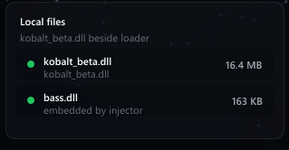
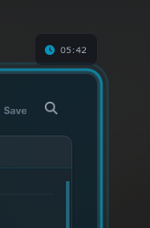
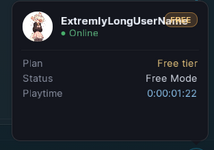
we clearly have a very capable developer right here, who cannot adjust font size with menu scaling.
does not know how rounded corners work.
cant write proper english.
cant adjust menu tiles according to menu size and aspect ratio of the game it runs inside.
these are extremly simple things that have nothing to do with any functionality of the cheat itself yet you cannot do them, how will anyone trust you with actual features?
You must be more capable than me since some few UI mistakes make me a shitty dev according to you , so please show what you have done better than I have. I’ll gladly accept your UI-related criticism once I can see your work.
we clearly have a very capable developer right here, who cannot adjust font size with menu scaling.
does not know how rounded corners work.
cant write proper english.
cant adjust menu tiles according to menu size and aspect ratio of the game it runs inside.
these are extremly simple things that have nothing to do with any functionality of the cheat itself yet you cannot do them, how will anyone trust you with actual features?
I feel like youre missing the point on what ive just said, you cannot tell people to do something that you cannot do yourself. you clearly use ImGui in your loader yet it looks like absolute garbage, ImGui is by far one of the easiest UI libraries out there yet you cannot work with it properly, cant implement rounded corners which ImGui can handle with easeYou must be more capable than me since some few UI mistakes make me a shitty dev according to you , so please show what you have done better than I have. I’ll gladly accept your UI-related criticism once I can see your work.
You're mixing up two things that have nothing to do with each other. UI polish and the actual engineering behind a cheat are completely different skillsets. I spend my time on what actually matters for the users and I'm sure you know Kobalt is in BETA.I feel like youre missing the point on what ive just said, you cannot tell people to do something that you cannot do yourself. you clearly use ImGui in your loader yet it looks like absolute garbage, ImGui is by far one of the easiest UI libraries out there yet you cannot work with it properly, cant implement rounded corners which ImGui can handle with ease
You also dodged what I asked. Show me your work and then I can challenge you on the real stuff.
- Status
- Thread closed. Topic resolved/outdated. For updates, start new thread. Files removed to save server space.
Similar threads


- Replies
- 32
- Views
- 6K
Status:
-0/0+


- Replies
- 135
- Views
- 20K
Status:
-0/0+

- Replies
- 7
- Views
- 669
Status:
-0/0+


- Replies
- 5
- Views
- 539
