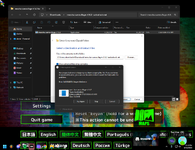
SS:
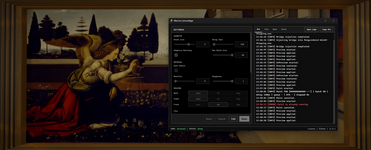
Instruction:
1. Run Meccha Chameleon.exe (window borderless mode)
2. Run meccha-camouflage.exe as administrator
3. Have fun!
Logs folder:
%LOCALAPPDATA%\MecchaCamouflage\versions\<version>\logs\
Source:
Credits to: acentrist
Instruction:
1. Run Meccha Chameleon.exe (window borderless mode)
2. Run meccha-camouflage.exe as administrator
3. Have fun!
Logs folder:
%LOCALAPPDATA%\MecchaCamouflage\versions\<version>\logs\
Source:
You must be registered for see links
Credits to: acentrist
22.07.2026
- Restored Auto Paint compatibility with MECCHA CHAMELEON 2.9.0. Thanks to
You must be registered for see linksinYou must be registered for see links
- Fixed material rendering issues that could leave painted surfaces looking incorrectly emissive.
- Added Emissive material controls for Paint and Fill, alongside Metallic and Roughness.
- Improved Metallic, Roughness, and Emissive handling in Paint, Fill, Preview, and Unpreview.
- Improved Auto Detect material behavior for Paint while keeping Fill material settings explicit.
- Preserved paint jobs across Freecam pawn transitions.
- Improved controller restarts and local launch reliability when reconnecting to an already-running game.
- Updated runtime maintenance and release documentation.
Password for .zip file is hvh.net
Content status reports:
-0/0+
Last edited by a moderator: