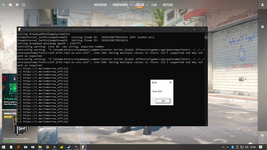
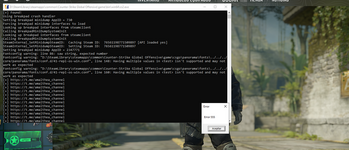
I have provided a fixed DLL for people whose experienced crashes (and issues with the ESP) with the original dll in the zip file
Config/Scripts Location:
C:\SteamLibrary\steamapps\common\Counter-Strike Global Offensive\game\bin\win64
configs are named pslot1–5, renaming them will make them not show
SS:
IMPORTANT:
Do NOT use "-insecure"
You HAVE to use "-allow_third_party_software"
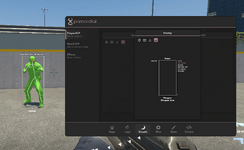
Preview:
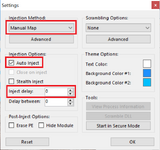
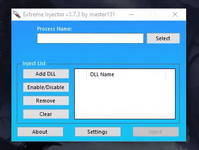
Use manual map with auto inject delay 0 on Extreme Injector, and have extreme injector open before CS2.exe
Preview of settings for Extreme DLL Injector:
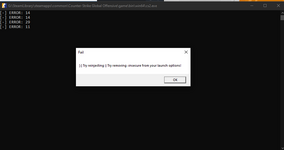
If the fixed DLL still doesn't inject, install this (run the .bat file and wait for it to finish the install and then restart your pc):
You must be registered for see links
and if that also fails, as a last ditch effort you could try entering this into your steam launch paramenters (where you previously put -allow_third_party_software)
I have provided a fixed DLL for people whose experienced crashes (and issues with the ESP) with the original dll in the zip file
Config/Scripts Location:
C:\SteamLibrary\steamapps\common\Counter-Strike Global Offensive\game\bin\win64
configs are named pslot1–5, renaming them will make them not show
SS:
IMPORTANT:
Do NOT use "-insecure"
You HAVE to use "-allow_third_party_software"
Preview:
Use manual map with auto inject delay 0 on Extreme Injector, and have extreme injector open before CS2.exe
Preview of settings for Extreme DLL Injector:
If the fixed DLL still doesn't inject, install this (run the .bat file and wait for it to finish the install and then restart your pc):
You must be registered for see links
and if that also fails, as a last ditch effort you could try entering this into your steam launch paramenters (where you previously put -allow_third_party_software)
I have provided a fixed DLL for people whose experienced crashes (and issues with the ESP) with the original dll in the zip file
Config/Scripts Location:
C:\SteamLibrary\steamapps\common\Counter-Strike Global Offensive\game\bin\win64
configs are named pslot1–5, renaming them will make them not show
SS:
IMPORTANT:
Do NOT use "-insecure"
You HAVE to use "-allow_third_party_software"
Preview:
Use manual map with auto inject delay 0 on Extreme Injector, and have extreme injector open before CS2.exe
Preview of settings for Extreme DLL Injector:
If the fixed DLL still doesn't inject, install this (run the .bat file and wait for it to finish the install and then restart your pc):
You must be registered for see links
and if that also fails, as a last ditch effort you could try entering this into your steam launch paramenters (where you previously put -allow_third_party_software)
This site uses cookies to help personalise content, tailor your experience and to keep you logged in if you register.
By continuing to use this site, you are consenting to our use of cookies.